The Order Section
Placing and Managing Your Orders
the Snap2Close Order Section
The ORDER section of you portal allows you to to accomplish the following:
Orders Dashboard
When the user clicks Orders left menu item then a list of new and previous orders will appear in a table inside the ALL ORDERS section. This table can sort the orders by Order Number and the date the order was placed. On each order the address of the order, the customer’s name, the number items ordered, the amount of the order and the appointment date is displayed.
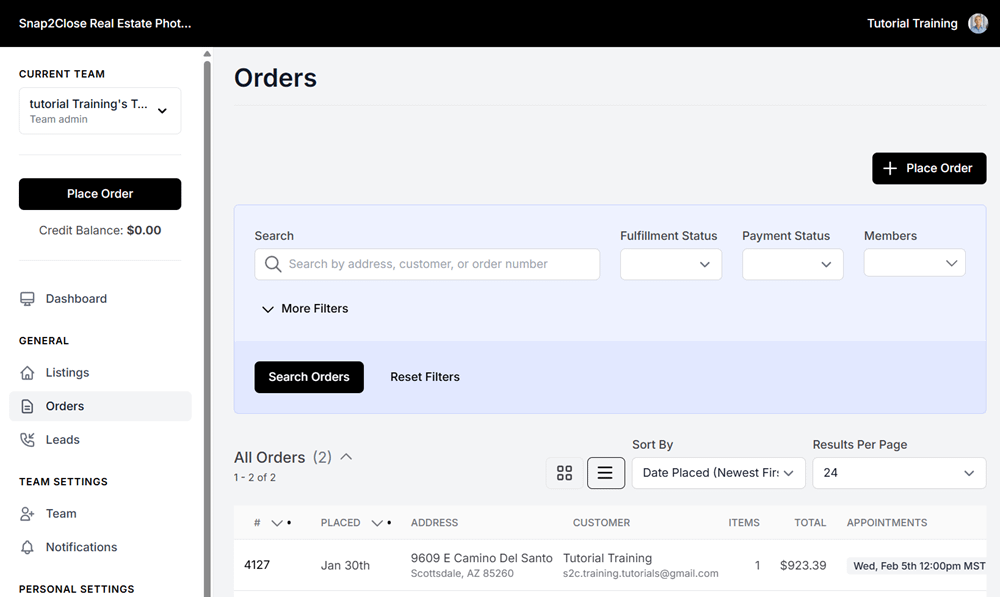
Above the ALL ORDERS table is a search feature which will allow you to quickly search your orders by address, Fulfillment Status, Payment Status and Members (team members).
Order a Photoshoot
Snap2Close Real Estate Photography’s order form is very simple and logical and follows the simples sequential steps:
- Entering the address of the photoshoot and the square feet of the home.
- Selecting your preferred package
- Adding other products or updates to your order
- Selecting your photographer and the date and time of your shoot.
- Payment for your order.
Click this guide (Video Tutorial) will guide you through the process.
Photoshoot Payments
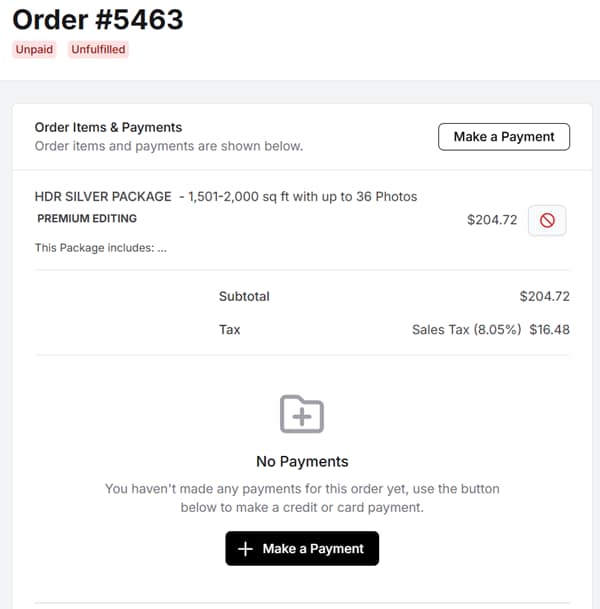
There may be times that our Customer Support department placed an order for you, but did not collect your credit card payment information. In this event occurs for you then please login to portal, click, on your order number and make payment 24 hours before the photoshoot. Advanced payment is required for all photoshoots. (screen display)
Cancel Order
You may cancel a photoshoot order by clicking the red Cancel Order button which is displayed beneath the Outstanding Balance item. Should you decide to cancel your order then please call our office and inform our staff of whether you want to apply the amount paid as a credit balance or receive a credit card refunde
Download Invoice
Each order includes a downloadable Adobe PDF invoice file. To view or download this file please click the black Download Invoice button located above the displayed map.
Rescheduling or Postponing a Photoshoot
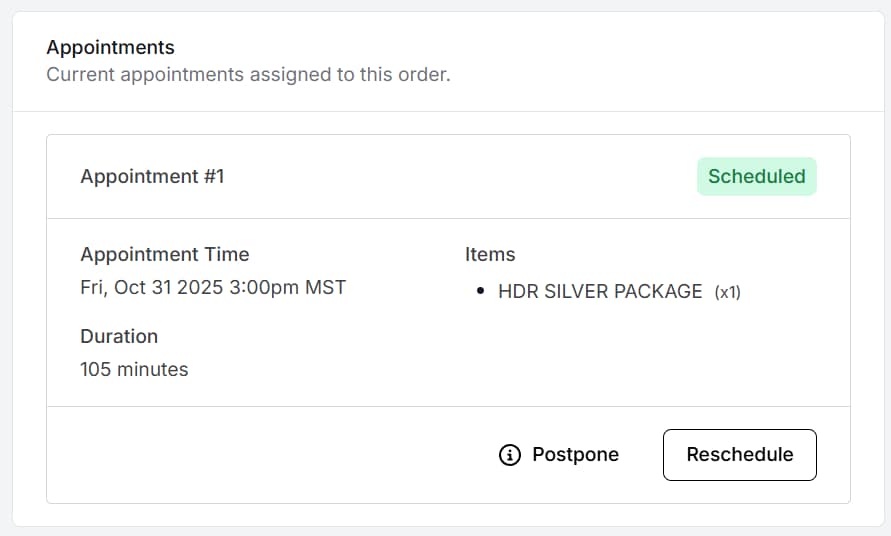
Below the Order details is am Appointment section. The information included in this section is the appointment date and start time, the estimated Duration of the shoot and the items included in the order. Located at the bottom left of the section are a Postpone and Reschedule buttons (sample image).
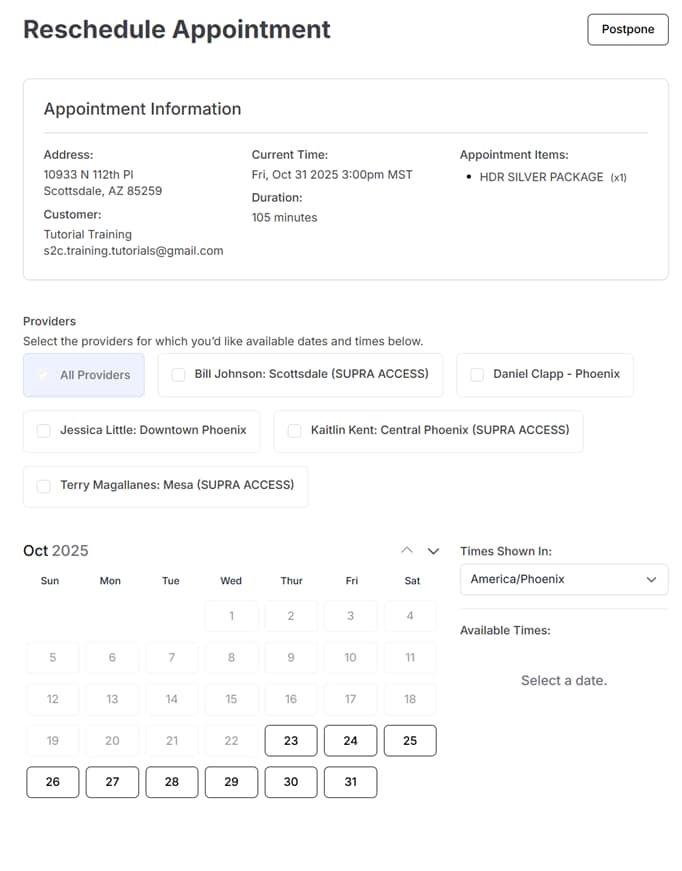
Postponing a photoshoot will require you to contact our office to reschedule the shoot. When you click the Reschedule button then a new window will appear asking you to select a photographer, shoot date and time (sample image).
Late Cancellation or Rescheduling Fees
Clients have the flexibility to cancel or reschedule their photoshoot at any time. However, if the change is made after 5:00 PM the day before the scheduled shoot, a fee of $99 will be charged. This fee compensates for the potential loss of revenue for the photographer.